Most companies don’t set out to run more than one Salesforce org. They start with one, it grows, and at some point a decision (deliberate or accidental) leads to a second, then a third. By the time anyone asks “should we be doing this differently,” there are already several environments to manage, and the question has quietly shifted from strategy to damage control.
This guide covers both sides of that problem: the strategic decision of whether and how to structure multiple orgs, and the operational reality of actually managing them once they exist, day to day, environment to environment. Most resources on this topic only cover the first half.
What “Multi-Org Management” Actually Means
Salesforce multi-org management is the practice of running and maintaining more than one Salesforce environment, whether that’s multiple production orgs serving different business units or regions, or the full chain of sandboxes, scratch orgs, and production that any single org typically has for development and release. It covers two related but distinct disciplines:
- Org strategy, the architectural decision of whether to run one org or several, and how to structure the relationship between them if you do.
- Environment management, the operational work of keeping configuration, data, and processes consistent across whichever environments you’ve ended up with, sandboxes and scratch orgs included.
Most content on this topic addresses only the first. Both matter, and the second is where most of the actual day-to-day pain lives.
Why Companies End Up with Multiple Orgs
Multi-org rarely happens by grand design. The common paths:
- Business unit or regional autonomy. A division or country needs Salesforce configured around a local process that doesn’t fit the global org, and building that flexibility into a single org is slower than standing up a new one.
- Governor limits and scale. As a single org grows, data volume, API limits, and general governor limits get harder to manage. Two moderately sized orgs are often more manageable than one very large one.
- Mergers and acquisitions. An acquired company brings its own org, and unifying it with the parent org is a significant project, not a switch to flip. Many companies run both indefinitely rather than force a merge.
- Data residency and compliance. Regulatory requirements in certain regions or industries can require data to live in a geographically or logically separate org.
- Speed of delivery. A centralized org with shared governance is often slower to change than a standalone one, and some teams choose multi-org specifically to move faster locally, at the cost of global consistency.
None of these reasons is wrong on its own. The problems show up later, when the org count grows past what anyone actively decided to support.
The Decision Framework: How to Think About Single Org vs. Multi-Org
Salesforce’s own enterprise architecture guidance frames the decision along two axes: how much process integration your business units need, and how much process standardization makes sense across them. That produces four rough categories:
- Unification: high integration, high standardization. A single org is usually the right call here; the business genuinely operates as one process, and splitting it adds coordination cost without a corresponding benefit.
- Coordination: high integration, lower standardization. Business units need to work together but run different processes. This can work as a single org with careful governance, or as a small number of orgs with strong integration between them.
- Diversification: low integration, low standardization. Business units operate mostly independently. This is where multi-org tends to make the most sense, and where companies in this category will probably always run more than one org.
- Replication: low integration, higher standardization. The same process repeated across units or regions. Multiple orgs deployed from a shared managed package is a common pattern here: local administrative control, but a consistent underlying build.
If you’re deciding whether to split an org, or whether to unify orgs you already have, mapping your actual business against these two axes is a more useful starting point than a generic pros-and-cons list.
If You Choose Multi-Org, Choose a Structure Deliberately
Running multiple orgs isn’t one strategy, it’s a spectrum. Three common structures:
- Fully standalone orgs. Each org has its own architecture, governance, data, and team, with no attempt at alignment. Simplest to reason about individually, but offers no economies of scale and no shared visibility across the business.
- Federated orgs. Orgs remain separate but share a design authority, a small center-of-excellence function that sets standards, reuses components, and runs a single AppExchange evaluation process rather than repeating it per org. This gets you most of the benefit of centralization without forcing every business unit onto identical process.
- Mirrored orgs. Orgs are deliberately kept in close alignment, particularly on metadata, so that the business can operate as if it were closer to a single org even though the underlying implementation is split. This requires the most ongoing discipline and, in practice, the most tooling to sustain.
Whichever structure you pick, the tradeoffs are real and worth naming rather than discovering later: licensing costs increase for users who need access to more than one org, integration costs rise as you connect data and processes across orgs, and environment management overhead grows with every sandbox and release cycle you’re now running in parallel. Single sign-on stops being optional once anyone has to remember more than one set of credentials.
Splitting and Stitching: When Structure Changes After the Fact
Sometimes the decision isn’t made up front, it’s forced later, by an acquisition, a divestiture, or a realization that an existing org has grown past what it can reasonably support. Splitting an org means defining clear data rules for what goes where, which sounds simple and rarely is, since “which customers belong to which business unit” often turns out to have edge cases nobody anticipated, then executing a migration that respects those rules without breaking the relationships between records. Stitching orgs together after a merger runs the same problem in reverse. Both require real tooling and a validated plan before any data actually moves, not just a strategy document.
The Part Every Strategy Guide Skips: What Happens After You Have Multiple Environments
Everything above is a one-time or occasional decision. What almost nothing written about multi-org management addresses is the daily operational reality once the structure exists, and this is true whether you’re running multiple production orgs or simply the standard chain of sandboxes, scratch orgs, and production that a single org needs for development.
Configuration drift is the real, ongoing cost. The moment you have more than one environment, “the same setup” starts to diverge. A field gets added in a sandbox and never makes it to a second sandbox. A validation rule ships to UAT but not production. Nobody does this on purpose, it happens because every environment requires a separate, manual pass to apply the same change, and manual repetition is where consistency erodes. At a handful of environments this is annoying. Past that, teams start spending more time finding and fixing inconsistencies than doing new work.
Every environment is a separate context switch. Most workflows, including a lot of AI-assisted tooling, are built around one connected org at a time. Managing five environments often means logging into, or separately connecting, five environments, and the reasoning behind a configuration decision, why a picklist has the values it does, why a flow branches the way it does, rarely travels with you between them. It lives in someone’s memory, or doesn’t survive at all.
Tooling that assumes single-org use doesn’t solve this. A lot of the Salesforce admin ecosystem, AI-assisted tools included, treats “connect to your org” as a one-time setup for one environment. That’s a reasonable default for plenty of use cases. It also means multi-environment work, promoting a change through sandbox, UAT, and production, or keeping a scratch org aligned with the branch it supports, still falls back to doing the same task manually, several times, with no assistance after the first.
How AI Changes the Operational Side of Multi-Org Management
The useful question for evaluating a tool here isn’t whether it can help with Salesforce admin work in general. It’s whether it understands that your sandbox, your UAT org, and your production org are related environments in the same workflow, or whether it treats each one as an unconnected fresh start.
This is a real architectural difference, not a minor feature gap. Salesforce’s own hosted MCP servers can read metadata like objects and flows, but modifying metadata requires a separate developer environment and the dedicated DX MCP Server, and each org, sandboxes included, needs its own individual connection. That’s a sound design for Salesforce’s own scope, but it means a five-environment workflow still means five separate setups.
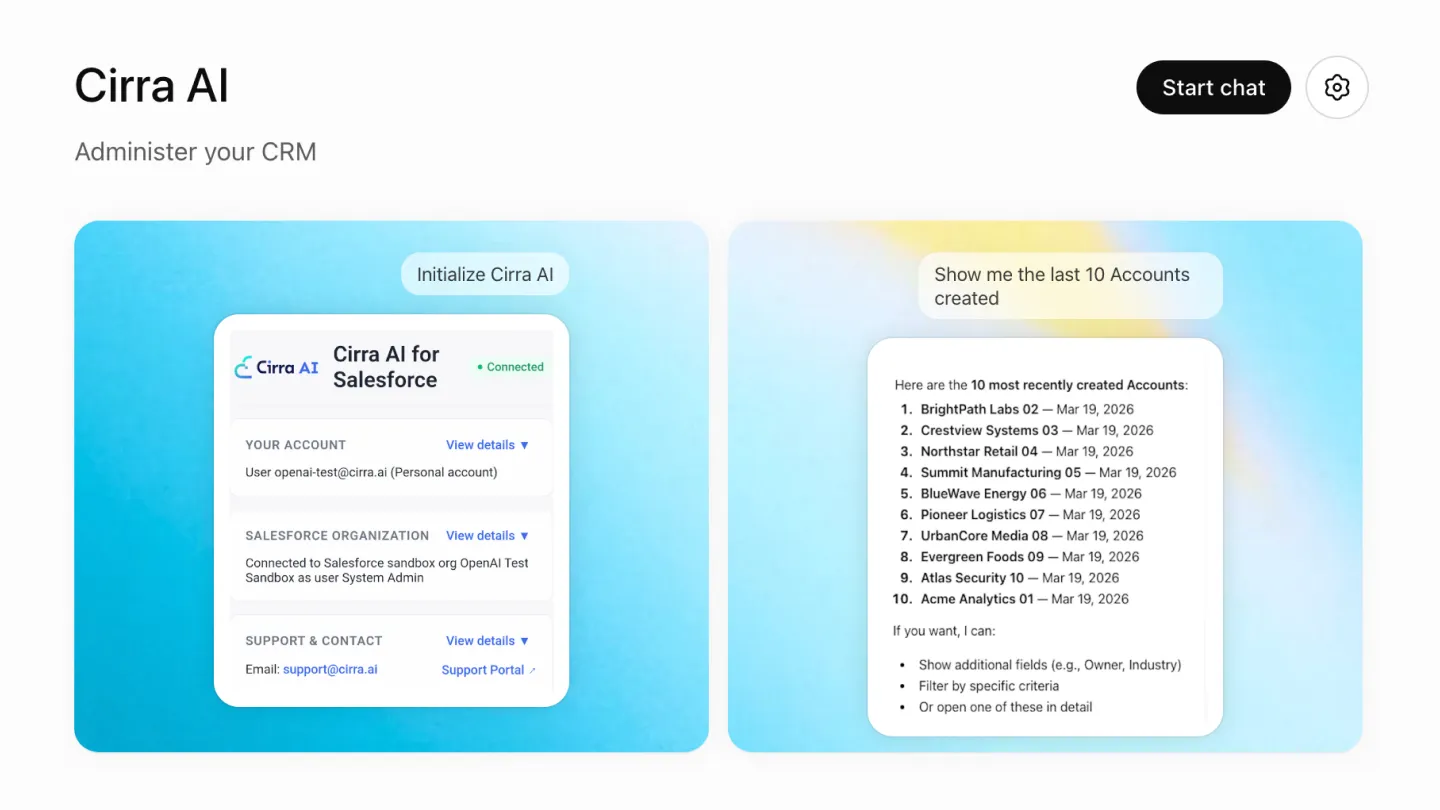
Cirra AI takes a different approach for admin operations specifically: one connection covers sandboxes, scratch orgs, and production. You describe a change once, apply it to whichever environment you’re currently working in, and move to the next without re-authenticating or re-explaining the context. In practice, that looks like building and testing a validation rule in a sandbox, then applying the same described change to UAT and production without manually recreating the click path three times, or asking directly what’s different between two environments, a field that exists in one sandbox but not another, before that gap turns into a failed deployment.
This doesn’t replace the strategic decisions covered earlier in this guide: choosing a structure, splitting or stitching orgs, is still an architecture and governance question. What it changes is the ongoing tax of keeping whatever structure you chose actually consistent, which is the part of multi-org management that consumes the most time and gets the least written about it.
A Practical Checklist for Managing Multi-Org Day to Day
- Know your structure. Standalone, federated, or mirrored, and make sure that choice is documented somewhere beyond one person’s memory.
- Establish a design authority if you’re running more than two or three orgs, even an informal one, so components and standards get reused instead of rebuilt.
- Audit for drift on a schedule, not just when something breaks. The gap between “should be identical” and “is identical” only grows if nobody checks.
- Treat sandboxes and scratch orgs as part of the same management problem as production, not an afterthought. Most configuration drift starts upstream of production, not in it.
- Evaluate any tooling, AI-assisted or otherwise, on how it handles your second, third, and fourth environment, not just your first.
Where This Leaves You
Multi-org management is really two problems wearing one name: the strategic question of whether and how to structure multiple environments, and the operational question of keeping them consistent once they exist. Most guidance on this topic addresses the first and stops. The second is where the ongoing cost actually lives, for architects making the initial call and for the admins who inherit the day-to-day work of keeping five environments telling the same story.
If you’re past the strategy decision and living in the operational reality, see how Cirra AI handles connections across sandboxes, scratch orgs, and production, or start a free trial against your own environment chain.